
WooCommerce Advanced Files Uploader
Empower your customers to personalize their products with our Advanced Files Uploader for WooCommerce.
Advanced Files Uploader File Cleanup and Filename Templates
File cleanup and filename templates help keep uploads organized and prevent old temporary files from accumulating indefinitely.
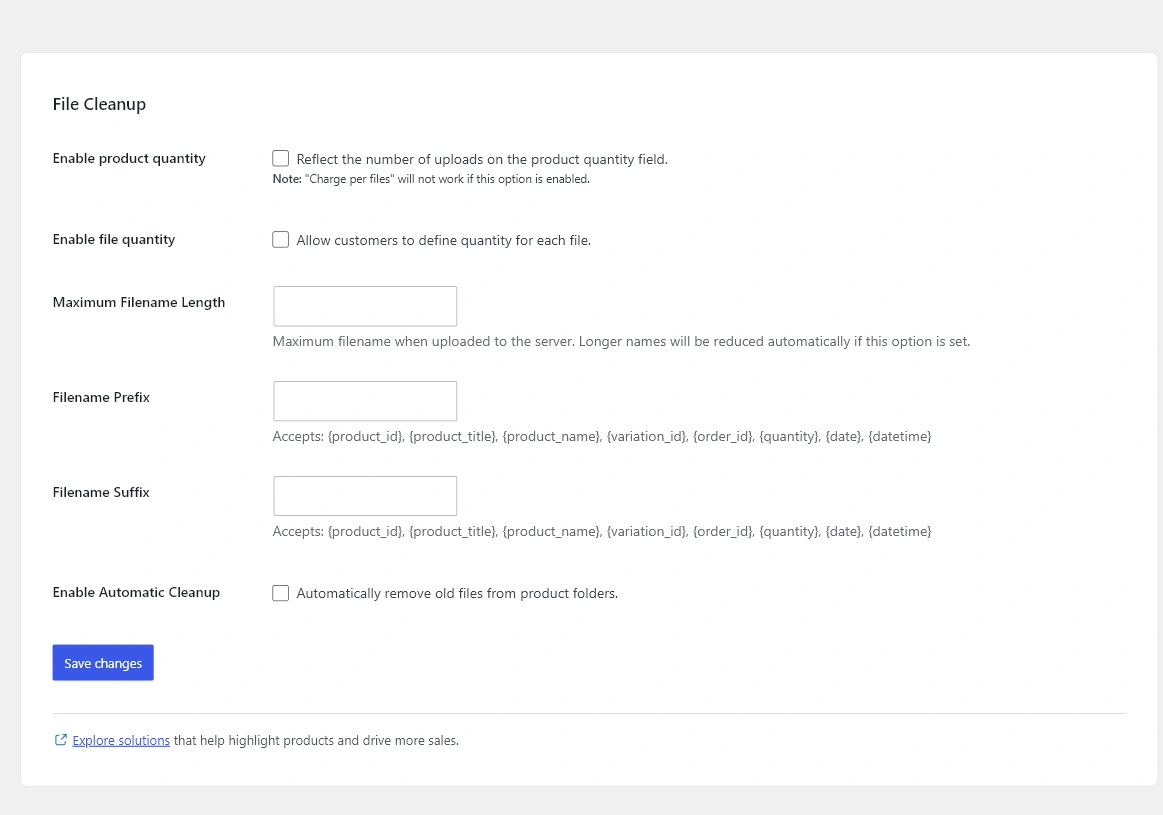
Filename controls
Use Maximum Filename Length to keep uploaded filenames manageable. Prefix and suffix templates can include tokens such as {product_id}, {product_title}, {product_name}, {variation_id}, {order_id}, {quantity}, {date}, and {datetime}.
{order_id}-{product_name}-{date}Private upload storage
The plugin stores uploaded files in a protected private uploads folder and serves order file access through plugin-controlled URLs.
Automatic cleanup
Enable Automatic Cleanup and set Days to Keep Files when temporary or abandoned upload files should be removed on a schedule. Choose a retention period that matches your production and customer support workflow.
Related
See Global Display Settings for where summary locations are configured and Enable Advanced Files Uploader on a Product for product-level overrides.