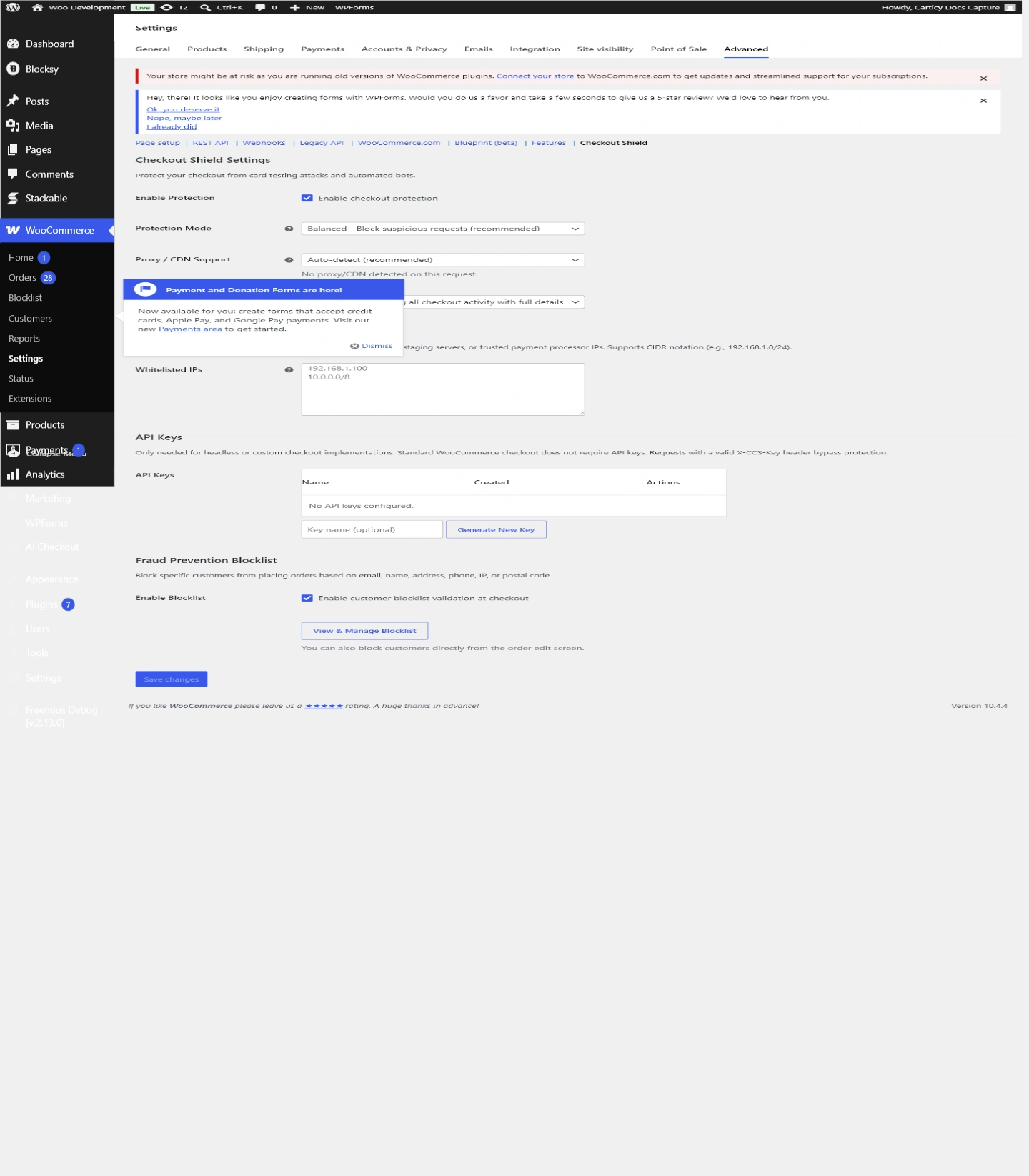
Checkout Shield for WooCommerce
Your CAPTCHA protects the form. This protects the API. Most store owners don't realize the attacks aren't even hitting their checkout page.
Checkout Shield Protection Modes Explained
Checkout Shield protection modes control how aggressively the plugin responds when a checkout request fails bot or abuse checks.
Learning
Learning mode observes traffic and records suspicious requests without blocking checkout. Use it when first installing the plugin, after changing checkout plugins, or when diagnosing a possible false positive.
Permissive
Permissive mode applies protection with a lower blocking threshold. It is useful for stores with complex checkouts, custom payment redirects, or unusual customer networks.
Balanced
Balanced mode is the recommended default. It blocks high-confidence automated or invalid checkout attempts while keeping normal WooCommerce checkout behavior intact.
Strict
Strict mode uses the strongest blocking behavior. Use it during active checkout attacks or on stores with simple, well-tested checkout flows. Watch logs after enabling Strict mode because it has the highest false-positive risk.