
Carticy Conversions for WooCommerce
Your thank-you page misses conversions every day — abandoned redirects, ad blockers, Safari, consent banners. Track from the order instead, and stop under-counting what your ads actually earned.
Server-side tracking with Meta CAPI and GA4 Measurement Protocol
Server-side tracking is a Pro feature. It sends conversions to Meta and Google directly from your server instead of the browser, so they still register when an ad blocker, Safari’s privacy defaults, or an abandoned redirect checkout would otherwise drop them. In practice that recovers a meaningful share of the conversions browser-only tracking misses.
Why server-side
Because these events come from WooCommerce’s order-paid hooks, they add no front-end JavaScript, can’t be blocked by ad blockers, and fire even when the customer never returns from the payment gateway. They’re queued with automatic retries and a visible delivery log, and they’re still gated on the per-order consent you’ve stored.
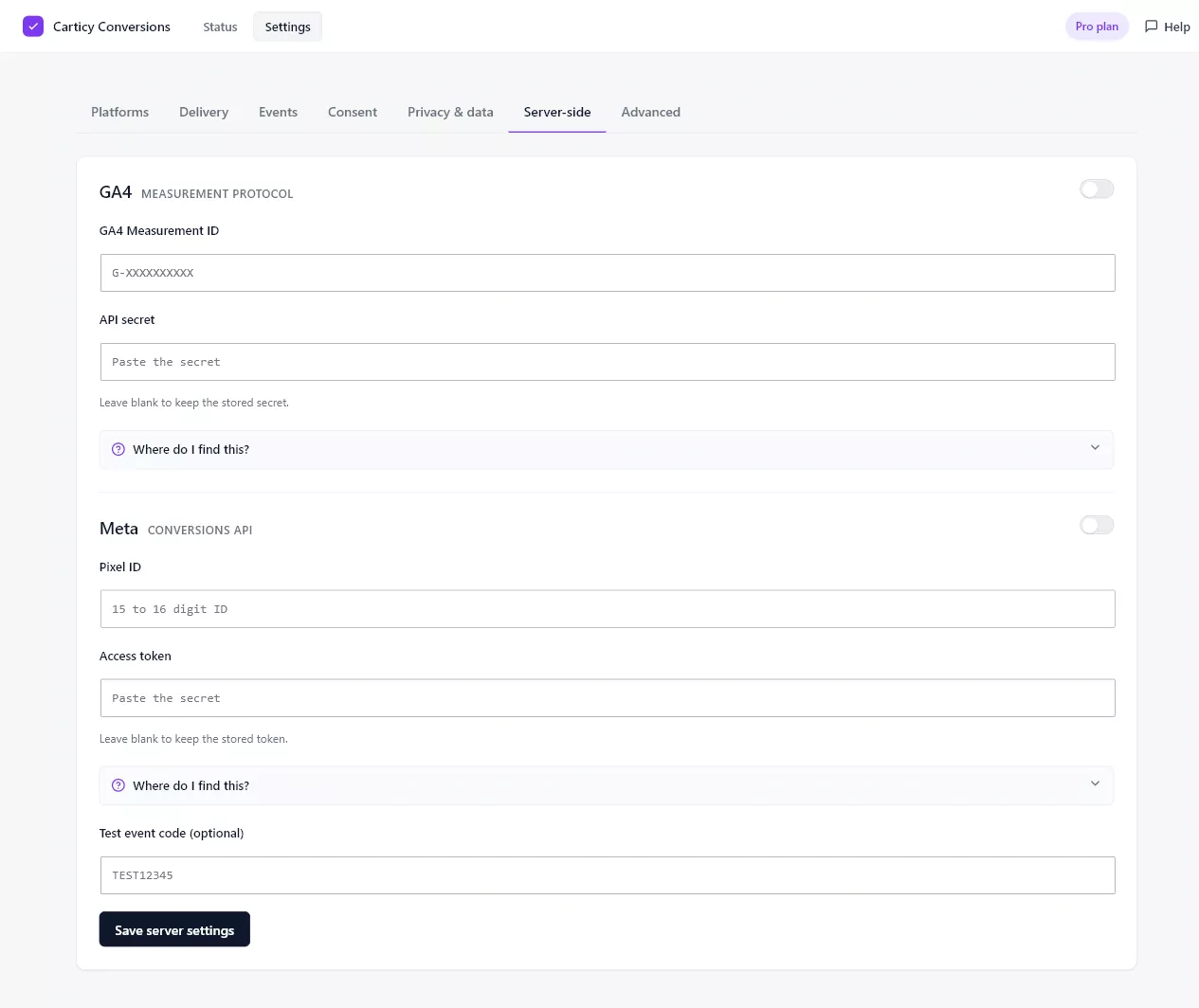
Set up Meta Conversions API
Under Settings → Server-side, enable Meta and enter your Pixel ID and an access token. To create the token, open Meta Events Manager, select your dataset, and go to Settings → Conversions API. Under “Set up direct integration,” choose Generate access token. That creates a long-lived system-user token, which is the form you want. Meta shows it only once, so copy it carefully.
Set up GA4 Measurement Protocol
Enable GA4 and enter your Measurement ID and an API secret. To create the secret, open Google Analytics and go to Admin → Data streams, select your web stream, scroll to Measurement Protocol API secrets, and click Create. Make sure the secret belongs to the same stream as the Measurement ID you entered.
How it works with your browser tags
Server and browser events share the same order ID, so Meta and Google merge them into a single counted conversion. Running both never double-counts you. Secrets are write-only: once a key is stored the form shows a masked placeholder, and you can leave a field blank to keep the existing value. Failed sends retry on their own, and you can check delivery state under Recent events.