
Carticy Conversions for WooCommerce
Your thank-you page misses conversions every day — abandoned redirects, ad blockers, Safari, consent banners. Track from the order instead, and stop under-counting what your ads actually earned.
Consent, GDPR, and privacy
Carticy Conversions is consent-respecting by design. Browser and server events alike are gated on real consent, and nothing reaches Google or Meta unless consent was explicitly granted. That holds even for a renewal or refund that cron processes hours after checkout. This guide covers how consent is detected, how you control it, and the privacy tools you get. One caveat up front: the plugin gives you GDPR tooling, but it can’t make your store GDPR compliant on its own. That part stays your responsibility.
Choose your consent posture
During setup, and later under Settings → Consent, you choose how your store handles consent:
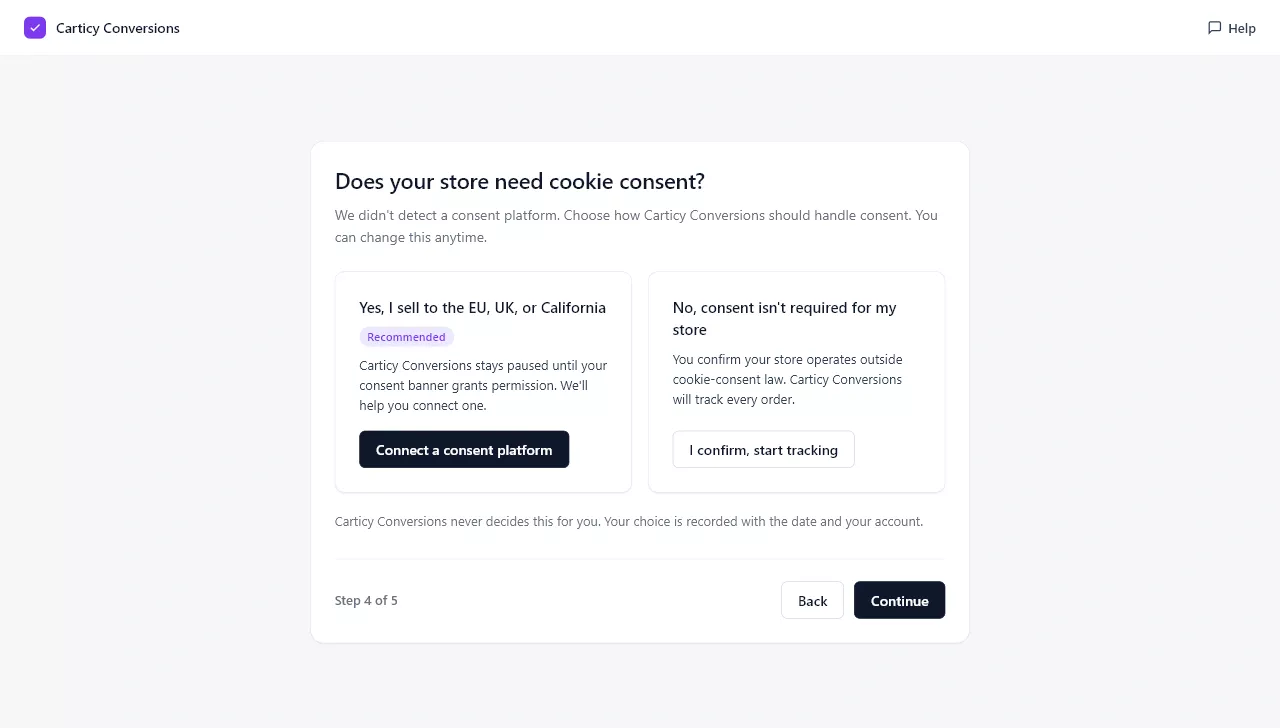
- Follow my consent platform. Honor the decision from your cookie banner. This is selected automatically when a consent platform is detected.
- Consent required, pause until granted. With no platform detected, tracking stays paused (fail-closed) until consent is granted.
- Consent not required. You attest that your store operates outside cookie-consent law. The choice is recorded with a date under your account, so it’s on the record rather than a silent bypass.
How consent is detected
Consent can come from several places, and the plugin reads all of them before collapsing them into one authoritative per-order record. The sources are the WP Consent API (Complianz, CookieYes, Cookiebot, WPConsent, and others), Google Consent Mode v2, a first-party intake bus for custom setups, and a data-driven cookie / JS-global adapter for tools that don’t use the WP Consent API. The gate is fail-closed: events send only on an explicit granted, never on an unset or denied signal.
Gate each platform independently
Under Settings → Consent you can set consent per platform. Meta and Google Ads wait for marketing consent, while GA4 waits for statistics consent. This mirrors how the gate actually behaves, so a visitor who grants statistics but denies marketing is handled correctly.
The per-order consent record
Every order stores its consent decision, the source and version, and the trail of contributing signals. That’s your proof of consent. You can review it per order under Settings → Privacy & data, and it’s included in WordPress’s personal-data export and erasure tools (Tools → Export and Erase Personal Data).
IP anonymization and retention
On the Privacy & data tab you can anonymize stored visitor IP addresses and set how long event and consent records are kept before they’re purged automatically. Both help you keep the personal data your store holds to a minimum.