
Deposits & Payment Plans for WooCommerce
The official deposits plugin cannot charge the balance at all: it emails the customer and hopes. This one takes the deposit, then charges the rest to the card they already used, on any gateway that supports WooCommerce Subscriptions.
Building a Payment Plan
A plan is written once and applied to any number of products. This guide covers every field on the plan builder.
Navigate to WooCommerce > Payment plans > Plans and click Create plan.
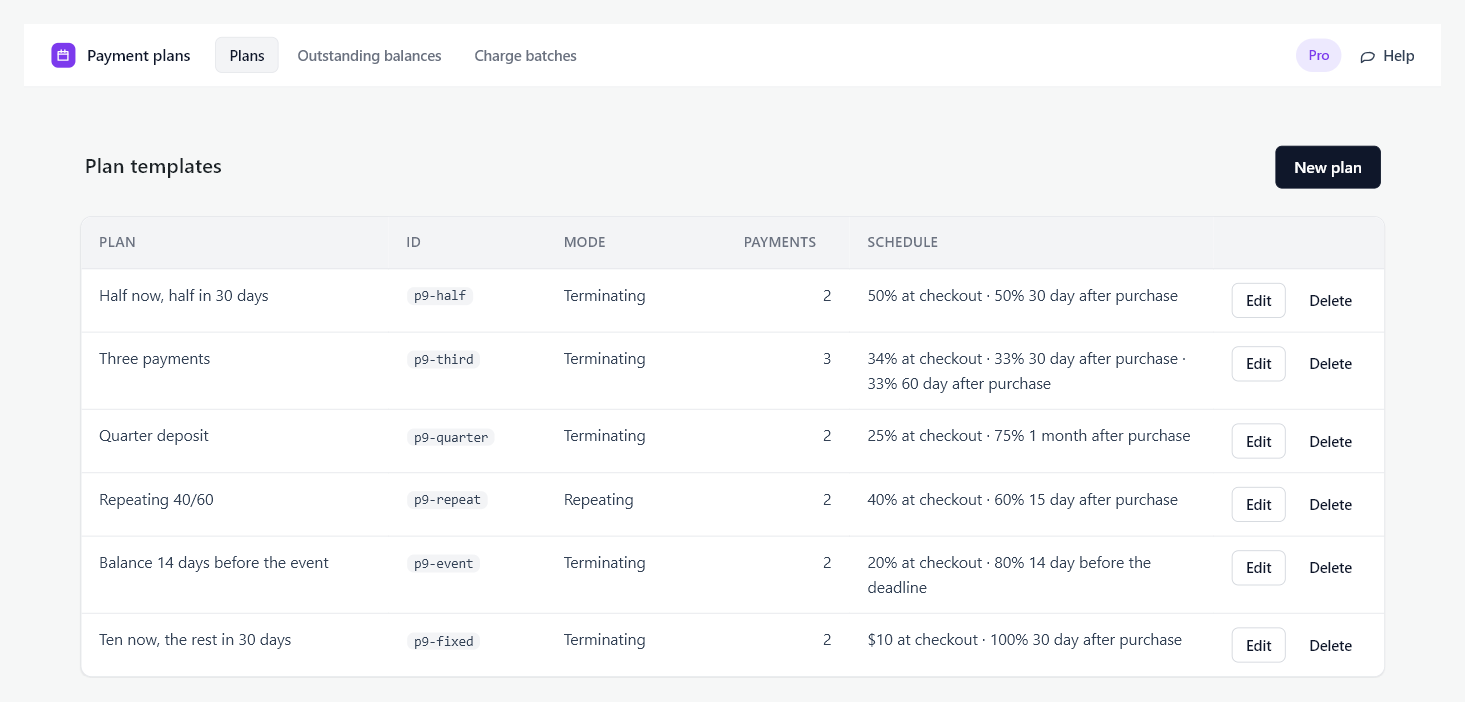
Name customers see
The label shown beside the plan on the product page, so write it for a buyer rather than for yourself. “Pay half now, half in 30 days” reads better than “Plan A”.
Mode
- Terminating. The plan runs once and finishes. This is a deposit and a balance, or any fixed number of payments against one purchase. Use it unless you are selling a subscription.
- Repeating. The plan repeats for as long as the subscription runs, splitting each billing cycle into the pattern you set. A subscription billed monthly can take 60% at the start of the month and 40% in the middle of it.
A repeating plan cannot carry a deposit, because there is no single purchase for a deposit to belong to.
Payments
A plan needs at least two payments. Use Add a payment to add rows and Move up and Move down to order them. The order they are in is the order they are collected in.
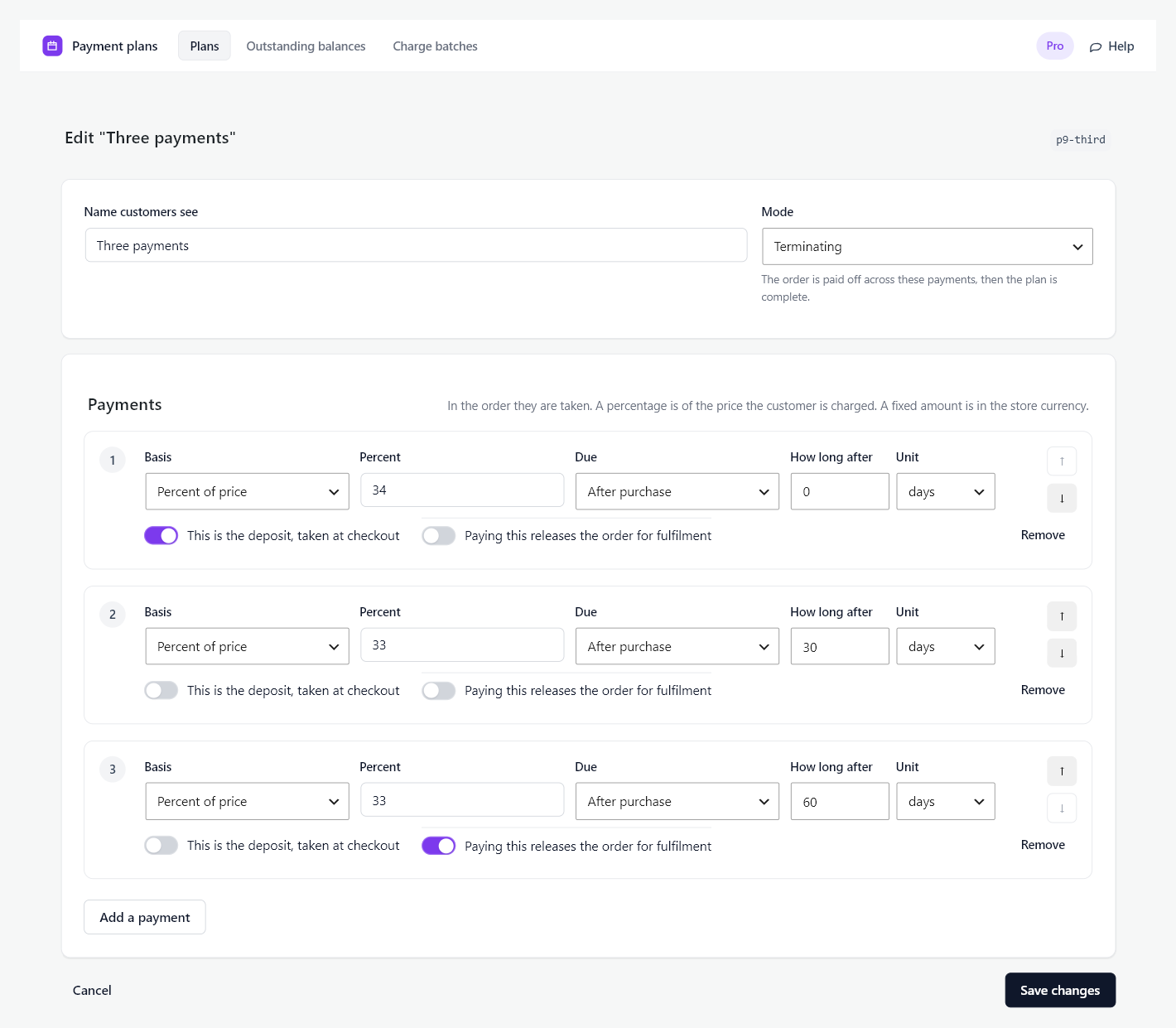
Amount: percentage or fixed
- Percent of price. The payment is that share of what the customer is actually charged, worked out at the moment they buy. A 30% deposit on a 200.00 product is 60.00, and on the same product after a 20% coupon it is 48.00. Percentages across the plan must add up to 100.
- Fixed amount. The payment is that figure in the store’s currency, whatever the price is. Use it for “500 down, the rest later”.
You can mix the two in one plan. Whatever you author, the payments are made to add up to exactly the price the customer was charged. Whatever the price leaves after the other payments lands on the last one, so “a fixed 5.00 now and the rest later” is a fixed 5.00 on the first payment and a fixed 0 on the last. Rounding is settled the same way, on the last payment and never on the deposit, so the deposit the customer saw on the product page is the deposit taken at checkout.
A plan whose amounts overshoot the price is refused when it is applied, with a message naming the figures, rather than being quietly corrected.
Collection
Two checkboxes per payment.
- This is the deposit, taken at checkout. One payment per terminating plan may be the deposit. It is the amount the customer pays at the checkout; everything else is collected later. A deposit of zero is allowed and is a real offer: “pay nothing today”. The builder reminds you what it costs: a deposit of zero means no card is taken at checkout, so the later payments on that plan are collected by payment link rather than charged.
- Paying this releases the order for fulfilment. The order is held until this payment clears. On a deposit-and-balance plan this is usually the balance, so nothing ships until the order is paid off. Leave it on the deposit if you fulfil as soon as the deposit lands.
Due dates
Each payment has one of four due-date types. Three are dates. The fourth is no date at all.
After purchase. An offset from the day the customer buys: 30 days, 2 weeks, 3 months, 1 year. Set the deposit to 0 days after purchase. This is the type to use when the schedule is about the customer rather than about a date in your calendar.
Month and year offsets never overflow. A plan sold on 31 January falls due on 28 or 29 February, not on 3 March, and returns to the 31st in a month that has one.
On a date. A fixed calendar date, the same for every customer. Use it for a season or a term that starts on a known day. The date is read as midnight UTC.
Before the product’s deadline. An offset counted backwards from a date set on the product, not on the plan: “the balance is due 14 days before”. This is the type for dated events, because the same plan then works for a customer who books in March and one who books in August. The product supplies the deadline; see Putting a Plan on a Product.

When you decide. The payment has no date. It is never charged by the schedule. You collect it from Outstanding balances, or with the Charge now button on the order, when you are ready. The builder says so under the row: “This payment is never charged by the schedule. Collect it from Outstanding balances or with the Charge now button on the order.” The customer sees it as “When your order is confirmed” on the product page, in the cart, at checkout and under My Account.
This is the type for a pre-order or a pledge. A small deposit is taken at checkout, and the rest waits until you confirm the run, the print, the batch or the event. If it goes ahead, you charge everyone from one screen. If it does not, you cancel and refund everyone from the same screen. See Outstanding Balances and Batches.

Four placements are refused, and the builder says which when you save:
- Payment 1 cannot be collected when you decide. It is taken at checkout.
- The deposit cannot be collected when you decide, for the same reason.
- A repeating plan cannot have one. Every payment in a cycle needs a date, because the next cycle starts when the last one is paid.
- It must come after every dated payment. “Payment 2 is collected when you decide, but payment 3 after it has a date” is refused, because payments are collected in order and a dated payment stuck behind an undated one would be a date the plan cannot keep.
Late bookings on a deadline plan
A customer can buy inside the window the offset describes. Someone books on the Friday for a Saturday course, on a plan whose balance is due 7 days before it. Counting back lands on a date that has already passed.
The plan is still sold, and that payment becomes due on the day of purchase. It is charged on the next collection run rather than after the event, which is the point of counting back from a date. The customer sees it at checkout as Due today.
If several payments land in the past, all of them become due on the day of purchase, and they are still collected one at a time in order. A payment is never charged before the one in front of it has settled.
There is no setting to stop offering a plan as the deadline approaches. To close a plan off near a date, remove it from the product or move the deadline forward.
Dates that run backwards are refused
A plan whose payments fall due out of order is refused when it is applied, with a message naming the two payments. The usual cause is a calendar date typed with the wrong year. Two payments due on the same day are allowed.
Saving
Click Save changes. Editing a plan later never changes what an existing customer owes. Their schedule was fixed at the moment they bought and is stored on their order.
Deleting a plan withdraws it from every product at once. Customers who already bought it keep their schedules.