
EU Withdrawal Button & Widerruf Form for WooCommerce
From 19 June 2026, every EU store must let customers withdraw as easily as they bought. Most WooCommerce stores still cannot.
Review and manage withdrawal requests
Every withdrawal, whether it comes from the button, an order-email link, or the My Account page, arrives in one place: EU Withdrawal → Requests. This is where you review and act on each request.
The queue
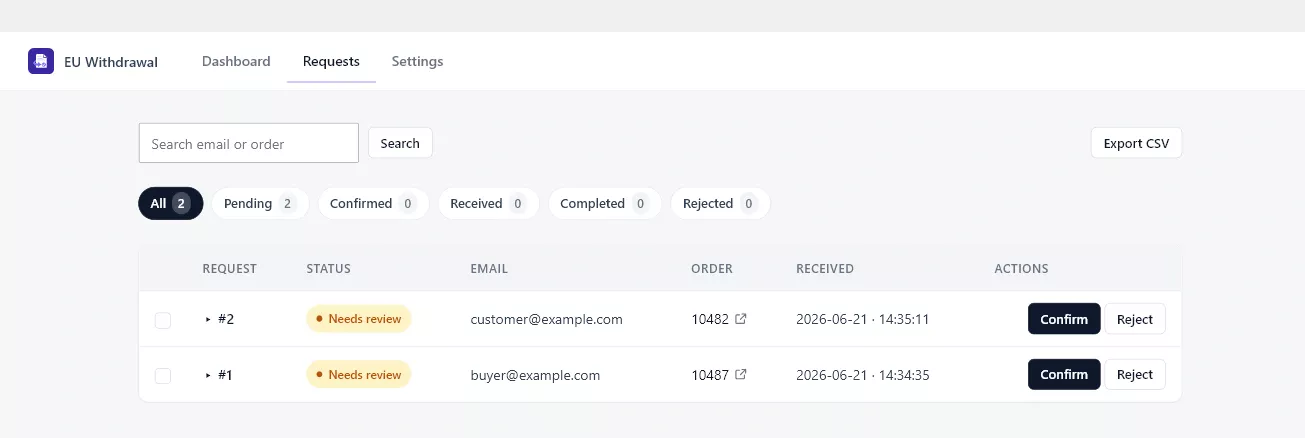
The queue lists each request with its status, the customer email, the order, and when it was received. Use the status filters to focus on what needs attention, search by email or order, and use Export CSV to download the current view for your records.
Reviewing a request
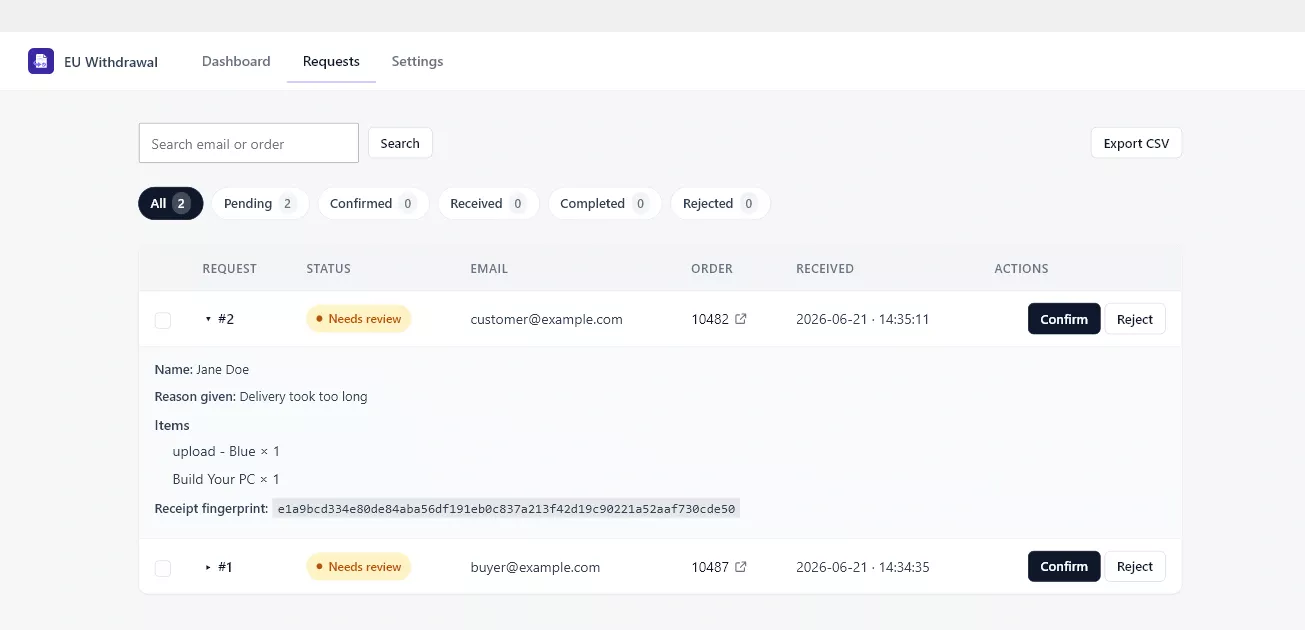
Expand a row to see the full declaration: the customer’s name, the reason if they gave one, the exact items requested, and the receipt fingerprint. This is the same record the customer received by email, so you can verify it at a glance.
Taking action
- Confirm accepts the withdrawal. The customer is notified and the order gets a note. If you enabled it, the WooCommerce order status changes automatically.
- Reject declines the request (for example, an ineligible item) and notifies the customer.
- Complete closes the request once you have finished it, for example after refunding. This is also where the returns settings apply, such as waiting for goods before refunding.
Every action records an order note and emails the customer, so both you and the customer always have an audit trail. You can act on requests individually or use bulk actions for several at once.