
EU Withdrawal Button & Widerruf Form for WooCommerce
From 19 June 2026, every EU store must let customers withdraw as easily as they bought. Most WooCommerce stores still cannot.
Getting started with the EU Withdrawal Button
This guide takes you from activation to a working withdrawal button in a few minutes. The plugin does most of the setup for you; your main job is to make the withdrawal function easy to find.
1. Activate the plugin
Install and activate the plugin with WooCommerce already active. On activation it creates and publishes a Withdrawal Request page that contains the form shortcode, so the customer flow works out of the box.
2. Check the setup status
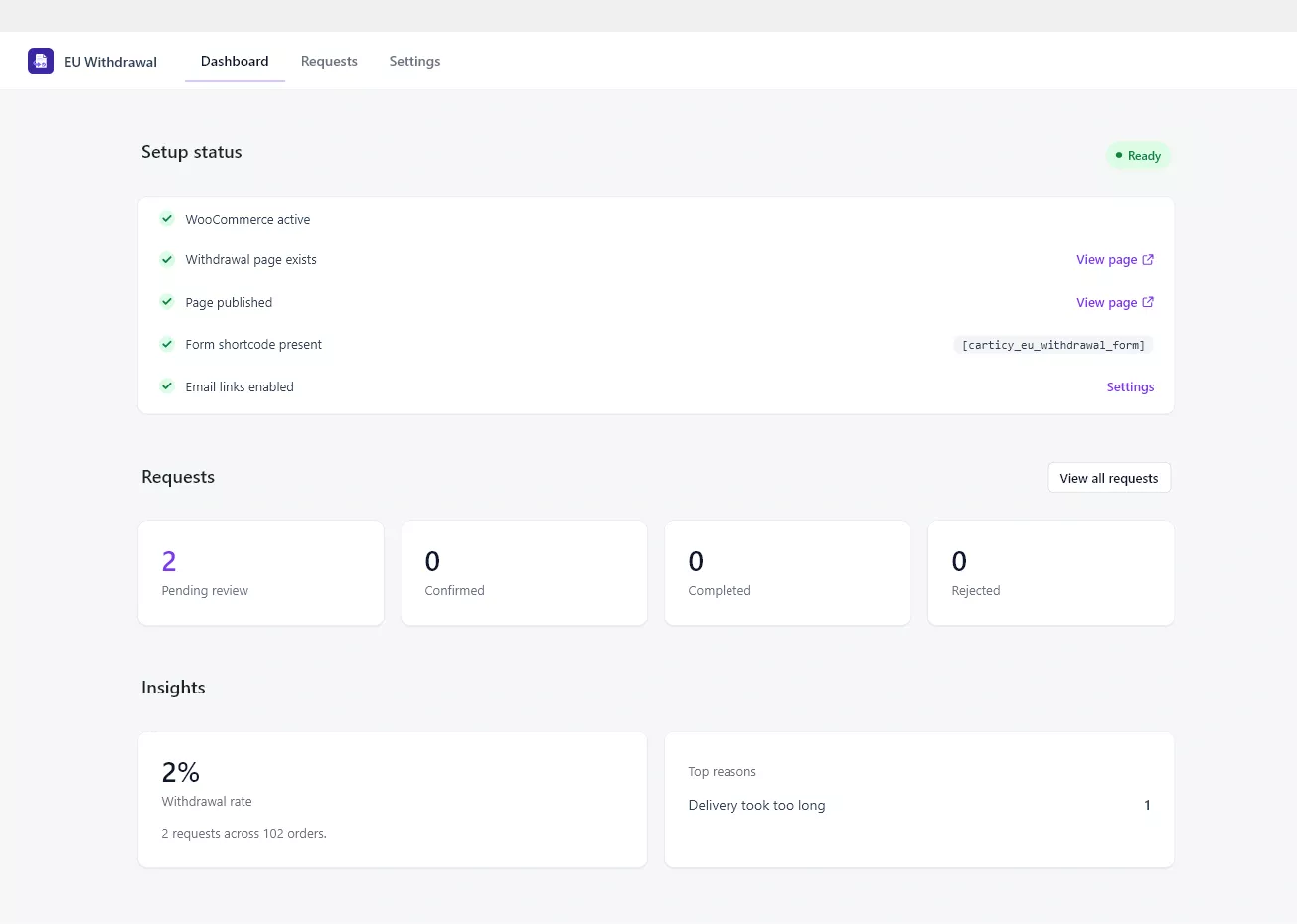
Open EU Withdrawal → Dashboard. The Setup status panel confirms that WooCommerce is active, the withdrawal page exists and is published, the form shortcode is present, and order-email links are enabled. Each row links straight to the relevant place so you can fix anything that is not ready.
3. Make the withdrawal function easy to find
The law expects the withdrawal function to be prominent, available throughout the withdrawal period, and reachable without logging in. You have several ways to expose it, and you can use more than one:
- The Withdrawal Request page created on activation. Add it to your footer or main menu so it is always reachable.
- The form shortcode
[carticy_eu_withdrawal_form], which you can place on any page. - Order-email links, added automatically to WooCommerce order emails so customers can start a withdrawal from the email they already have.
- The My Account page, where logged-in customers get a withdrawal action on their orders.
4. Test the customer flow
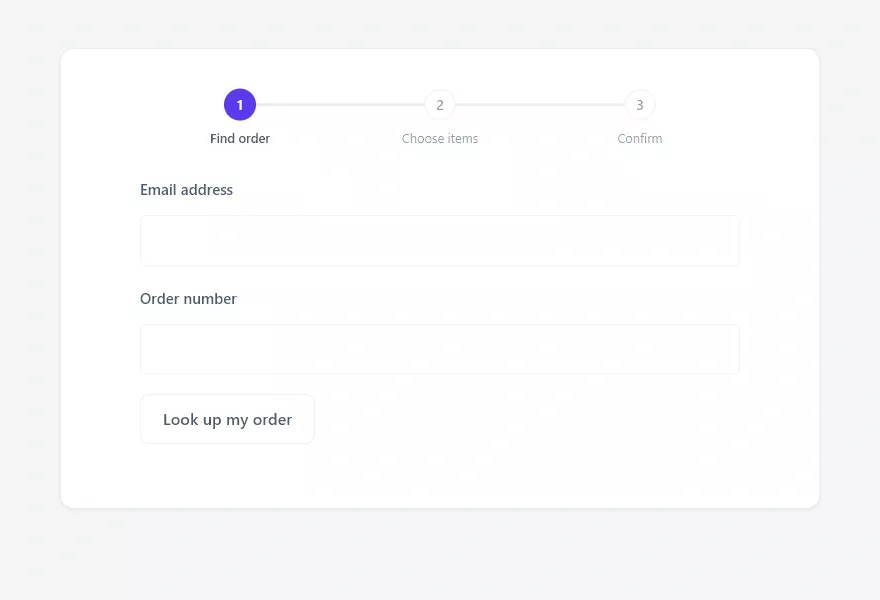
Visit the Withdrawal Request page as a customer would. A guest enters an email and order number to find the order; a logged-in customer sees their details prefilled with an order picker. From there they choose items and confirm.
That is the minimum to be operational. Next, review the settings to match your store’s policy, and learn how to manage incoming requests from the queue.