
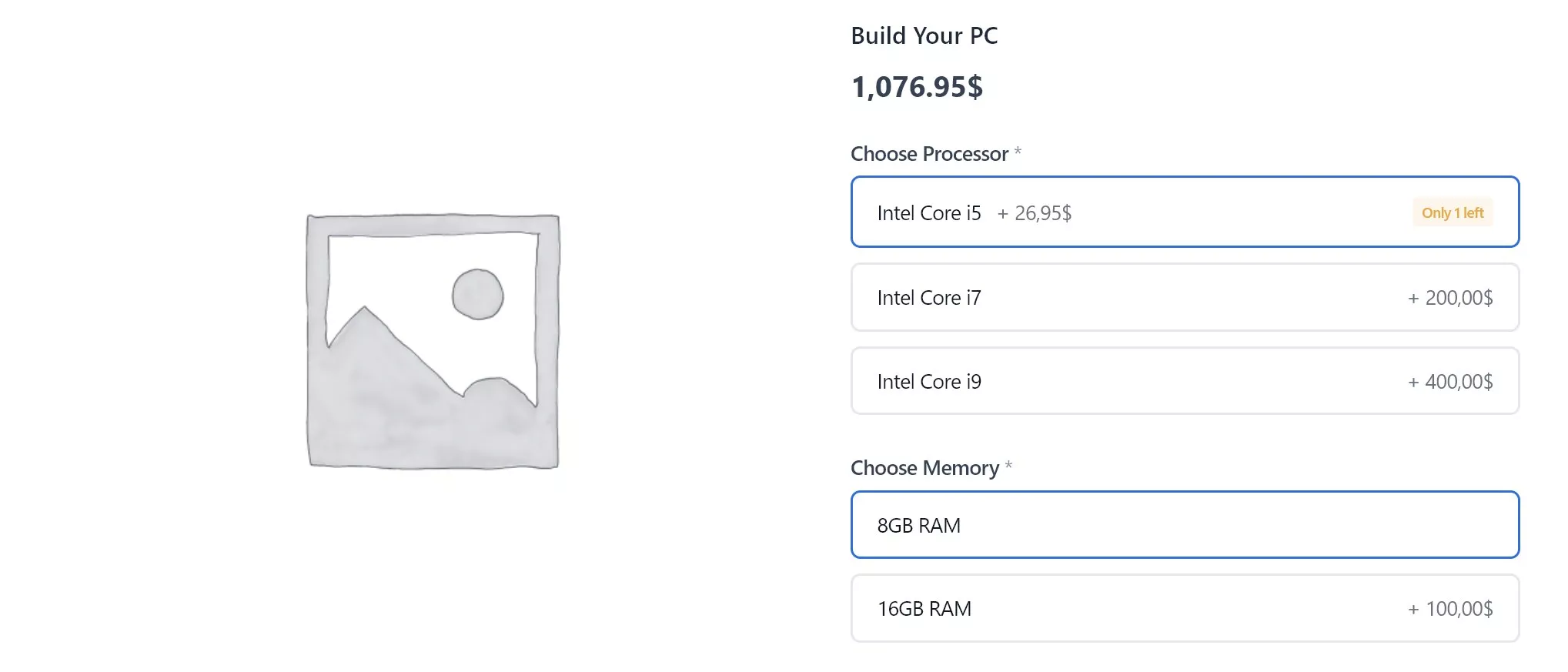
Product Builder for WooCommerce
Your customers shouldn’t need to read a dropdown to configure a product. Let them see, click, and build.
Visual product configurator with tile selection, conditional logic, file uploads, and smart formula pricing. The modern WooCommerce product addons alternative.

- 7-day money-back guarantee
- Last updated January 19, 2026
Key Highlights
Discover what makes this plugin stand out
1
7 Visual Field Types
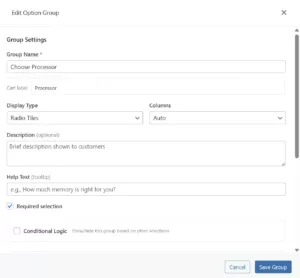
Radio tiles, checkboxes, quantity selectors, color swatches, button pills, text inputs, and file uploads. Each displays beautifully with images, icons, or colors.
2
Smart Pricing Engine
Fixed amounts, percentage modifiers, or custom formulas referencing other fields. Prices update in real-time as customers configure.
3
Conditional Logic
Show or hide options based on previous selections. Create branching product forms without writing code.
4
Stock-Linked Options
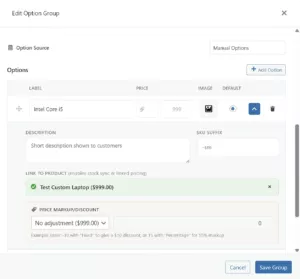
Connect options to real WooCommerce products. Stock automatically reduces when customers select linked items.
5
WooCommerce Blocks Ready
Full native support for block-based cart and checkout. HPOS compatible for modern high-performance stores.
6
File Upload Support
Let customers upload files with chunked handling for large files. Configurable file types and size limits.
Screenshots
See the plugin in action

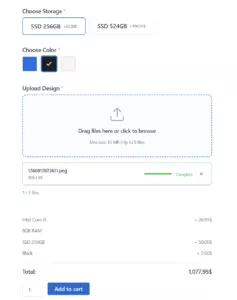
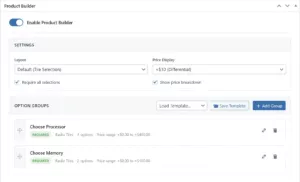
1 of 6
Features Overview
Features
Description
Radio Tile Selection
Single-choice visual tiles with images, icons, or labels. Customers click to select instead of reading dropdown text.
Checkbox Multi-Select
Allow multiple selections within a group. Perfect for toppings, add-ons, or feature bundles.
Quantity Selectors
Numeric input with configurable min/max limits and step values for quantity-based options.
Color Swatches
Visual color picker tiles for product color variations. Clean, intuitive selection.
Button Pills
Compact button-style selection for text-based options like sizes or simple choices.
Text Input Fields
Single and multi-line text for personalization, engraving, custom messages.
File Uploads
Let customers upload files with chunked handling for large files. Configurable file types and size limits.
Fixed Price Modifiers
Add or subtract flat amounts from product price per option.
Percentage Pricing
Calculate option prices as percentage of base product price.
Formula-Based Pricing
Custom formulas using field values, quantities, and product data. Build area-based or tiered pricing.
Tiered Bulk Discounts
Progressive quantity-based discounts with configurable tiers, strikethrough original pricing, and upsell nudges showing how many items needed for next discount tier
Conditional Logic
Show, hide, or modify fields based on other selections. No coding required.
Stock-Linked Products
Connect options to real products. Stock automatically reduces when linked items are selected.
Real-Time Price Updates
JavaScript-powered instant calculation. Total updates immediately as customers configure.
Image & Icon Support
Add images or icons to any tile option for visual product configuration.
Drag-and-Drop Ordering
Reorder fields and options with drag and drop in the admin builder.
WooCommerce Blocks Support
Full native integration with block-based cart and checkout.
HPOS Compatible
Works with High-Performance Order Storage for modern WooCommerce stores.
Cart & Order Integration
Selections display in cart, checkout, emails, and admin order details.
Required Field Validation
Mark fields as required with custom validation messages.
Developer Hooks
Comprehensive filters and actions for custom layouts, field types, and integrations.
Pricing Plans
Choose the plan that fits your needs
Most Popular
Annual License
Perfect for store owners who want ongoing updates and support.
$59.00 Year
- Visual Configuration:
- Tile-based option selection
- Image & icon support
- Real-time price updates
- Pricing Engine:
- Fixed price adjustments
- Percentage-based pricing
- Formula calculations
- Smart Features:
- Conditional logic builder
- Quantity fields
- Checkbox multi-select
- Compatibility:
- WooCommerce Blocks support
- Cart & order integration
- Support:
- 1 year of updates
- Email support
- 7-day money-back guarantee
Lifetime License
Best value—pay once, use forever.
$179.99 One-Time
- Everything in Annual, plus:
- Lifetime updates (never pay again)
- Lifetime priority support
- Visual Configuration:
- Tile-based option selection
- Image & icon support
- Real-time price updates
- Pricing Engine:
- Fixed price adjustments
- Percentage-based pricing
- Formula calculations
- Smart Features:
- Conditional logic builder
- Quantity fields
- Checkbox multi-select
- Compatibility:
- WooCommerce Blocks support
- Cart & order integration
- Best long-term value
Frequently Asked Questions
Get answers to common questions
Yes. Carticy Product Builder is designed to work with any properly-coded WooCommerce theme. The frontend uses minimal, unobtrusive CSS that adapts to your theme’s styling. We’ve tested with popular themes including Storefront, Astra, GeneratePress, Flatsome, and all default WordPress themes.
Traditional product add-ons plugins focus on form fields—text inputs, dropdowns, checkboxes. Carticy is built around visual selection. Customers click on image tiles instead of reading text options. We also include a powerful formula-based pricing engine and conditional logic that most add-on plugins lack.
Yes, fully. We implement the official WooCommerce Store API extension points to ensure your product configurations display correctly in the Block-based cart and checkout. This includes the modern cart block, checkout block, and mini-cart widget.
Absolutely. The conditional logic system lets you show, hide, or modify option groups based on previous selections. For example, if a customer chooses ‘Large’ size, you can reveal additional customization options that only apply to large items. You set this up visually in the admin—no coding required.
Each option can add to (or subtract from) the base product price in three ways: Fixed amount (Add $10.00 for this option), Percentage (Add 15% of the base price), or Formula (Custom calculations like {base} * 0.1 + {option:size} that can reference other selections). Prices update instantly as customers make selections.
You can configure tiered discounts based on quantity. For example, buy 2+ items get 10% off, 3+ get 15% off, 4+ get 20% off. The frontend shows strikethrough pricing with the discounted amount, and displays upsell nudges like “Add 1 more for 15% off!” to encourage larger purchases. You can choose to count selected options or quantity field values.
Yes. You can configure any option group as a checkbox group, allowing customers to select multiple items. This is perfect for pizza toppings, product add-ons, feature bundles, or any scenario where customers might want more than one option.
Customer selections are saved to the order and displayed everywhere you’d expect: Cart page and mini-cart, Checkout order review, Order confirmation page, Customer order emails, Admin order details, and Order exports. The data is stored as order item meta, so it’s fully accessible to your fulfillment workflow.
Yes. The Linked Products feature lets you pull options directly from your existing WooCommerce products or product categories. When the source product’s price changes, the option price updates automatically. This is great for cross-sells, bundles, or when your options are actual products in your catalog.
Product configurators work well for custom apparel and print-on-demand (size, color, personalization), personalized gifts and jewelry (materials, engraving, gemstones), furniture and home decor (dimensions, fabrics, finishes), food and meal kits (portions, ingredients, dietary options), computer and electronics builds (components with stock linking), and any product where customers choose from visual options.
Not currently. Carticy Product Builder is a premium plugin with a focus on quality, performance, and dedicated support. We believe in building fewer, better features rather than splitting functionality between free and paid tiers.
All licenses include email support, and the Lifetime license includes priority support. We also maintain comprehensive documentation with examples, code snippets, and troubleshooting guides.