
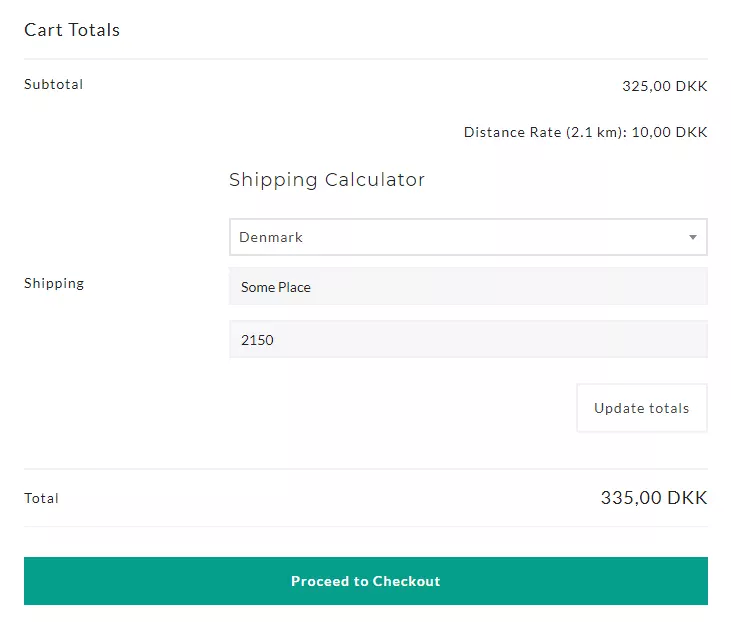
WooCommerce Shipping Rate by Distance
Flat rate shipping penalizes nearby customers and undercharges far ones. Distance-based shipping rates let you charge what delivery actually costs, calculated from real road networks, not guesswork.
Calculate WooCommerce shipping costs based on distance, weight, and shipping class. Powered by Google Routes API with smart formulas and zone-level control.
- 7-day money-back guarantee
- Last updated August 20, 2026
- 4.9/5 from 9 reviews
Key Highlights
Discover what makes this plugin stand out
1
Pinpoint-Accurate Distance Calculation
Leveraging Google's advanced Routes API, our plugin calculates shipping distances based on real-world road networks, not simple straight lines. This ensures your shipping fees are always fair and accurately reflect your actual delivery costs.
2
Highly Flexible Pricing Rules
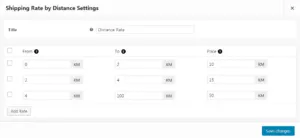
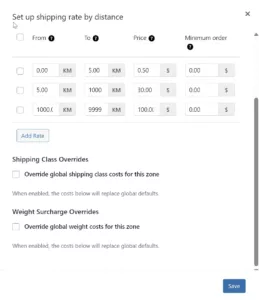
Take full control of your shipping costs. Set up complex pricing structures with ease, including a fixed base rate, a charge per mile/kilometer, or tiered pricing for different distance ranges. Tailor your rates to perfectly match your business model.
3
Define Your Delivery Boundaries
Easily set a maximum shipping distance to define your service area. If a customer's address is outside your delivery zone, the shipping method is automatically hidden, preventing orders from outside your serviceable range. Perfect for local businesses.
4
Weight-Based Surcharges
Add surcharges based on cart weight with flexible weight ranges. Enable dimensional weight calculations (L×W×H / DIM factor) to automatically use the greater of actual vs volumetric weight. Charge fixed amounts or use dynamic formulas that scale with distance.
5
Shipping Class Surcharges
Leverage WooCommerce shipping classes to charge different rates for fragile, oversized, or special-handling products. Each shipping class can have its own surcharge, whether a flat fee or a formula-based calculation using distance, weight, or cart variables.
6
Smart Formula System
Build custom shipping calculations using dynamic variables. Combine [distance], [weight], [qty], and [cost] into expressions like [distance] * 0.50 + [weight] * 0.10. Add percentage-based fees with minimum thresholds for complete pricing control.
Screenshots
See the plugin in action
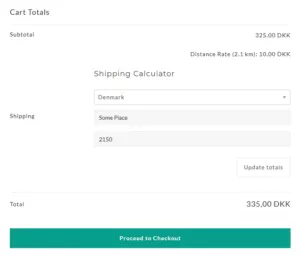
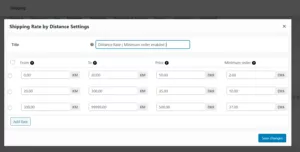
1 of 6
Features Overview
Features
Description
Google Routes API Integration
Calculate accurate shipping costs based on real driving distances using Google's modern Routes API.
Multiple Shipping Zones
Create unlimited zones with unique pricing rules and zone-level setting overrides.
Distance-Based Pricing
Set up tiered rates, per-mile/km costs, or flat fees based on calculated delivery distance.
Custom Rate Formulas
Build advanced shipping calculations with flexible custom formulas.
Premium Support
Get expert help when you need it with priority dedicated support.
Weight-Based Surcharges
Add surcharges based on cart weight ranges. Supports fixed amounts or dynamic formulas per weight tier.
Shipping Class Surcharges
Charge different rates for fragile, oversized, or special products using WooCommerce shipping classes.
Dimensional Weight
Automatically calculate volumetric weight (L×W×H / DIM factor) and use the greater of actual vs dimensional weight.
Smart Formula System
Build custom calculations using variables: [distance], [weight], [qty], [cost], and percentage-based fees.
Maximum Delivery Distance
Define your service area and automatically hide shipping for addresses outside your range.
Pricing Plans
Choose the plan that fits your needs
Most Popular
Yearly
$29.99 Year
- Accurate Distance Calculation
- Weight-Based Surcharges
- Shipping Class Support
- Dimensional Weight
- Smart Formula System
- Zone-Level Overrides
- Tiered Rate Setup
- Per-Mile & KM Costs
- Maximum Delivery Distance
- Google Routes API
- Unlimited Shipping Zones
- Premium Support
Lifetime
$129.99 One-Time
- Accurate Distance Calculation
- Weight-Based Surcharges
- Shipping Class Support
- Dimensional Weight
- Smart Formula System
- Zone-Level Overrides
- Tiered Rate Setup
- Per-Mile & KM Costs
- Maximum Delivery Distance
- Google Routes API
- Unlimited Shipping Zones
- Premium Support
Frequently Asked Questions
Get answers to common questions
The plugin uses Google’s modern Routes API to calculate the most efficient driving distance between your store’s location (origin) and the customer’s shipping address. It determines the distance based on the actual road network, not a straight-line measurement, providing a highly accurate figure for delivery calculations.
Yes, a Google Maps API key is essential. The plugin requires this key to communicate with Google’s services. When setting up your key in the Google Cloud Platform Console, you must enable the Routes API and the Geocoding API for the plugin to function correctly.
You have complete control over your shipping rate structure. The plugin allows you to set up rules such as a fixed base fee, a cost per mile/kilometer..etc. You can also create multiple pricing tiers based on distance ranges (e.g., $5 for 0-10 miles, $10 for 10-50 miles, etc.) to precisely match your delivery costs.
Yes, you can define a maximum shipping distance. If a customer’s address is calculated to be beyond this limit, the distance-based shipping method will not be available to them during checkout. This is perfect for defining your local delivery or service area.
Yes, the plugin settings allow you to choose your preferred unit of measurement. You can select either Miles or Kilometers, and all distance calculations and rate rules will be based on your selection.
Yes. The weight-based surcharges feature lets you define weight ranges with custom costs. For example, charge $0.30 extra per km for orders 0-10kg, and $1.50 per km for orders over 10kg. You can use static values or dynamic formulas like [distance] * 1.5 that scale with delivery distance.
Yes. You can assign different surcharges to each WooCommerce shipping class. This is useful for charging extra for fragile items, oversized products, or items requiring special handling. Surcharges can be fixed amounts or formula-based calculations.
The formula system supports: [distance] (calculated km/miles), [weight] (cart weight), [qty] (item count), [cost] (cart subtotal), and [fee percent=”X” min_fee=”Y”] for percentage-based fees with minimum thresholds. Combine them freely, like [distance] 0.10 + [weight] 0.05.
Yes. Zone-level overrides let you customize settings per shipping zone. Each zone can have its own distance rates, weight surcharges, shipping class costs, and maximum delivery distance, overriding your global defaults.
What Our Customers Say
Real feedback from real users

Verified Purchase
the plugin works wonderfully. the support is awesome, even more than expected
22 Jun 2023
Verified Purchase
This Plugin is so awesome and easy to understand design. and also after 1-year author updated the main feature to the plugin which was a kilo meter with a minimum order price.
21 Jul 2021
Verified Purchase
It works. Took me 15min to set up. Thought this is too good to be true. But: it works!
10 Jun 2021
Verified Purchase
Great and easy to use. But… In our opinion, an important function is missing: to deactivate shipping costs if the customer has reached a special amount that offers delivery. In our case, the basket reaches ⬠150 and free delivery is triggered but there is also paid delivery. There is a minimum order box but a maximum order box is missing too. Thanks everyone.
8 Dec 2020
Verified Purchase
Awesome support and works fine thats helps to fulfil my all requirements. Thanks Ali for your support.
25 Sep 2020
Verified Purchase
My client wanted to charge more the further out the delivery distance. This plugin achieves this perfectly, and is very easy to set up. Though I had a problem, I contact support and they had it resolved very quickly. I just hadn't set delivery to be the priority shipping option so the API check was running against collection.
19 Aug 2020
Verified Purchase
It works right out of the box. Easy to use. Creation of a Google API and «le tour est joué»! Great plugin!
30 Jul 2020
Verified Purchase
Very Simple and easy to set up plugin that I very much needed. With just the distance matrix api, the plugin was set. didn't have to use other api's like places, geo code and more that other plugins needed. Reasonable price with onetime fee. Great work
17 Apr 2020
Verified Purchase
The plugin exactly do what it was said in the description. Nothing too fancy, but just working as expected. We were looking for a simple solution like this one to offer flat shipping rate based on the distance between the shop and the customer address.
22 Oct 2019