
WooCommerce Shipping Rate by Distance
Calculate WooCommerce shipping costs based on distance, weight, and shipping class. Powered by Google Routes API with smart formulas and zone-level control.
Shipping Rate by Distance Global Plugin Settings
Global settings control the Google API connection, debug behavior, distance display, unit system, and default store origin used for rate calculations.
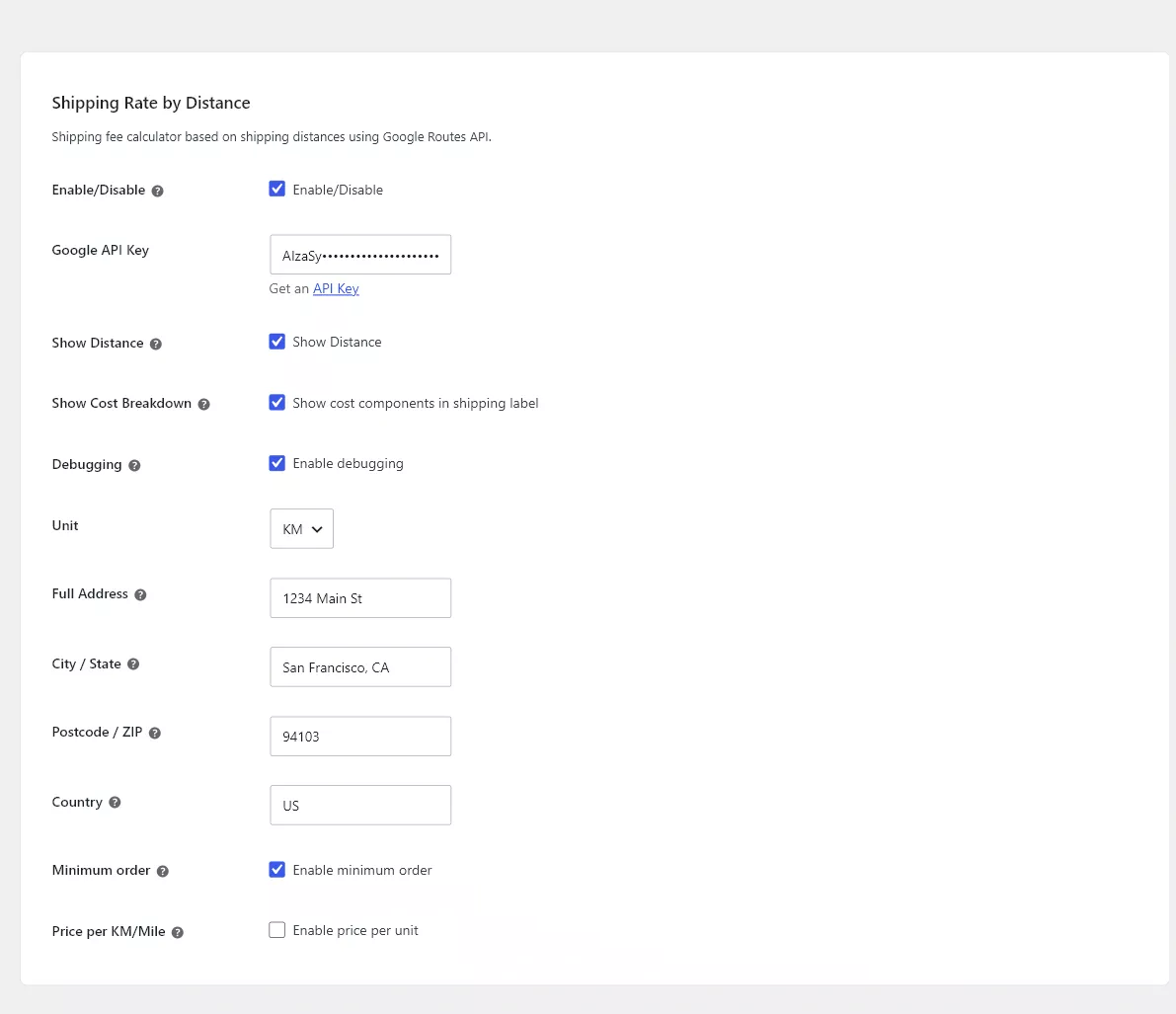
Core settings
- Enable/Disable: turns the global integration on or off.
- Google API Key: key used for distance lookup.
- Show Distance: displays calculated distance to the shopper.
- Show Cost Breakdown: displays how the shipping total was built.
- Debugging: shows diagnostic information while testing.
- Unit: choose kilometers or miles.
Origin address
Set the full address, city/state, postcode/ZIP, and country for the shipping origin. The origin must be specific enough for Google to geocode consistently.
Related
Need an API key? See Google Cloud API Setup. Next, add the shipping method to a zone: Add Shipping Rate by Distance to a Shipping Zone and configure Distance Rules.