
Deposits & Payment Plans for WooCommerce
The official deposits plugin cannot charge the balance at all: it emails the customer and hopes. This one takes the deposit, then charges the rest to the card they already used, on any gateway that supports WooCommerce Subscriptions.
Refunds & Fulfilment Holds
Two behaviours that decide what an order on a plan does when money goes back, and when goods go out.
Fulfilment holds
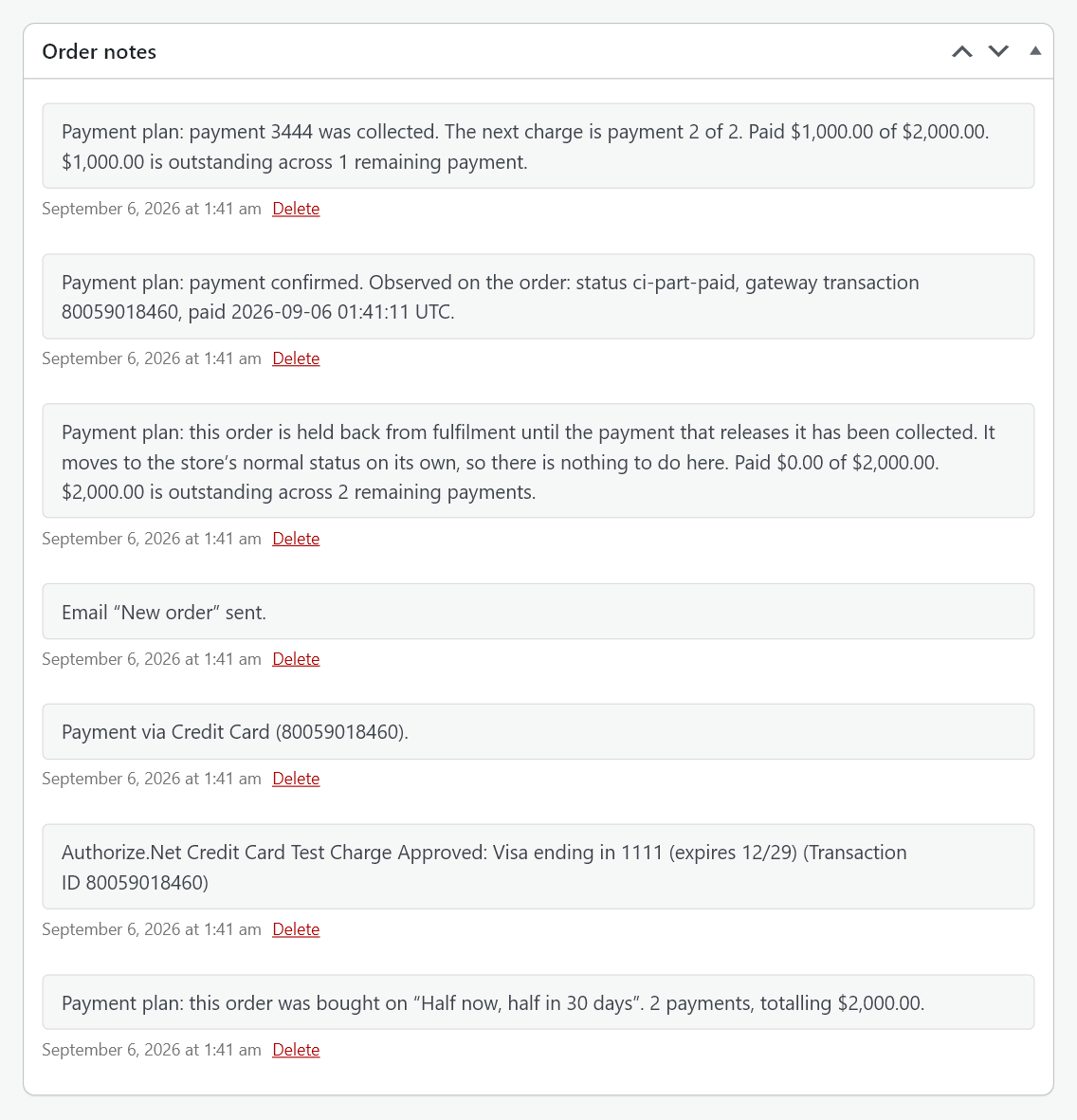
One payment in a plan can be marked Paying this releases the order for fulfilment. Until that payment clears the order stays in Part paid and is not ready to fulfil.
The hold is the order’s status, not a flag hidden inside this plugin. That is deliberate. Every fulfilment tool, shipping plugin, printing service and export already understands order status, so a held order is invisible to all of them without any of them needing to know this plugin exists.
The order carries a note saying it is held and what will release it. When the nominated payment clears, the order moves to your store’s normal paid status on its own and fulfilment picks it up.
To ship on the deposit instead, put the release on the deposit when you build the plan. To ship only when the order is paid off, put it on the last payment. See Building a Payment Plan.
Marking a part-paid order complete yourself
You can. The plugin does not fight you, and the remaining payments keep collecting. Completing an order is a statement about fulfilment, not about money, so it does not cancel a schedule the customer agreed to.
Refunds
A refund on one order is made in WooCommerce’s own refund panel on that order. There is no separate refund screen and no automatic partial refunding. The one time the plugin makes refunds itself is Cancel and refund on Outstanding balances, where you select a set of orders, review every refund it will make, and confirm once; those refunds are still WooCommerce refunds, made through each order’s payment method, and everything below applies to them too. See Outstanding Balances and Batches.
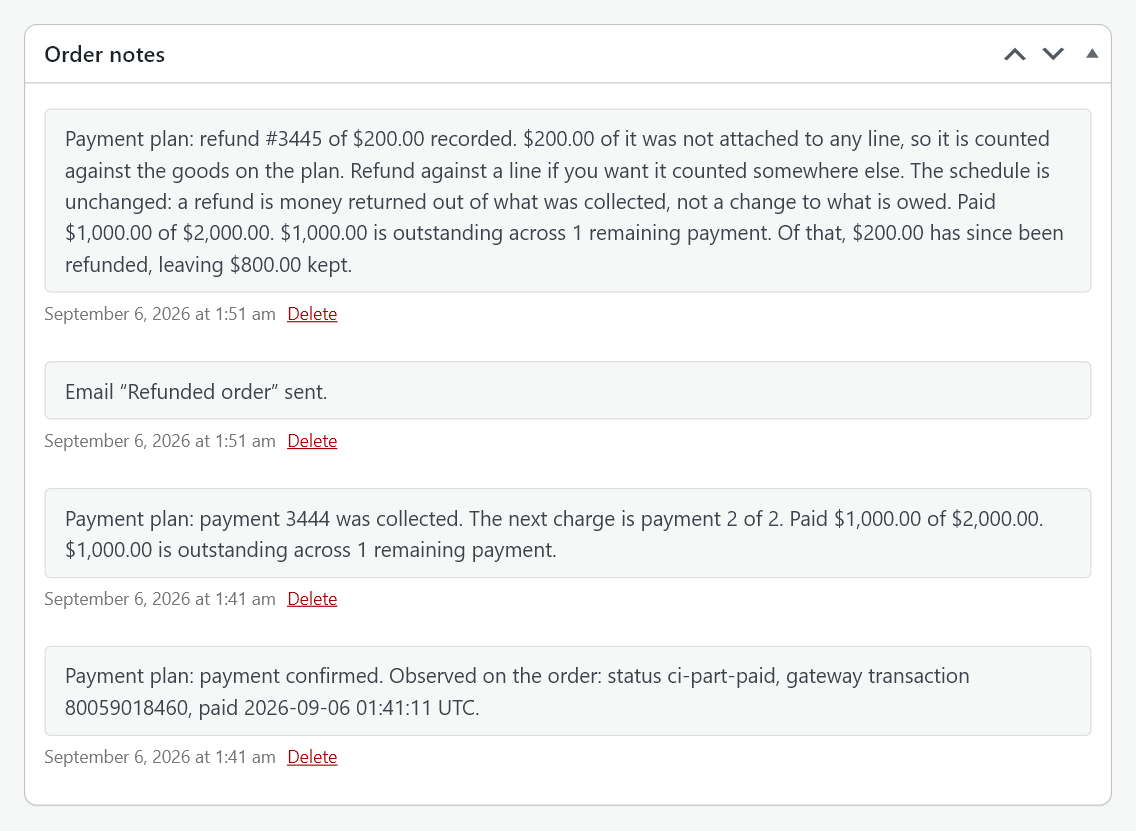
A partial refund leaves the schedule alone. The order records the refund and says so in a note: the schedule is unchanged, because a refund is money returned out of what was collected, not a change to what is owed. The note also splits the refund between the goods on the plan and any other lines, so the figures are readable months later.
A full refund stops the plan. Every uncollected payment is cancelled and nothing further is taken. The same happens when the order is cancelled.
Deleting a refund does not resume collection. A cancelled plan stays cancelled, and the order says so. Deleting a refund is a bookkeeping correction, not an instruction to start charging a customer’s card again.
Reading a cancelled and refunded order
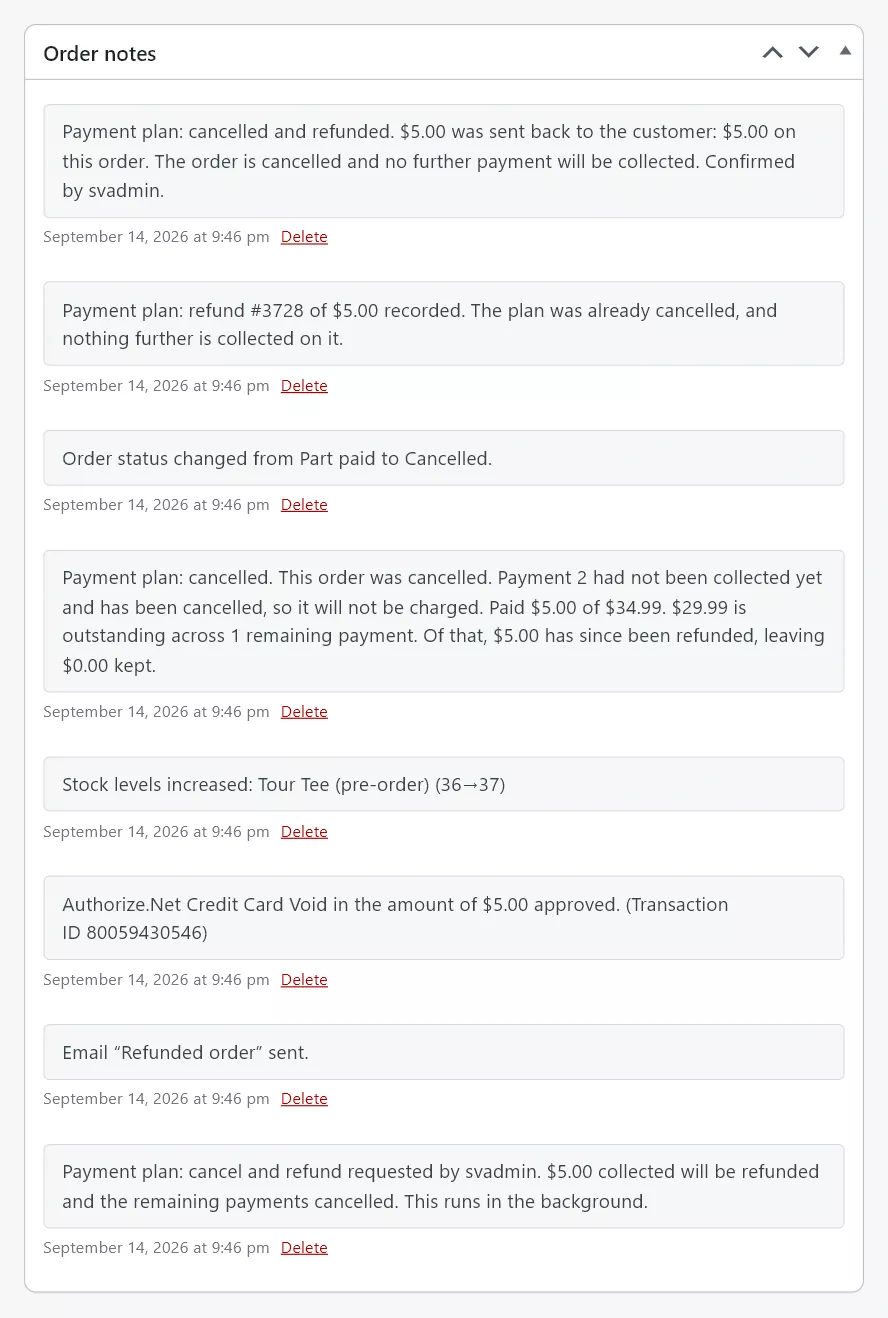
An order wound up by Cancel and refund tells the whole story in its notes, newest first: the closing note with the total sent back, what it was made of and who confirmed it; the refund record; the status change; the plan’s own note that the remaining payments were cancelled; the stock put back; the gateway’s own record of the refund or void; and, at the bottom, the note written when you confirmed, saying what was about to happen.
Refunding one payment
Each payment has its own order, so a single payment can be refunded on its own order in the usual way. This is the cleanest way to give one instalment back without touching the rest of the plan.
Refunding a payment that has not settled with the gateway yet is a void rather than a refund, and moves that payment’s order to Cancelled. This is your gateway’s behaviour, not the plugin’s, and it is normal.
Changing what a customer owes
There is no way to reduce a customer’s remaining balance without returning money. Editing an order’s lines after the sale does not rewrite the schedule the customer agreed to. To change what is owed, refund what should not have been charged and sell the remainder as a new order.
Next steps
See Troubleshooting.